
If you are looking for a gentle way to bring AI for seniors into your parents’ home, start with their voice, not a screen. Most of us have watched a parent squint at a phone, press the wrong tiny icon, and hand it back with a sigh. The problem is rarely their intelligence. We hand new technology to people who did not grow up with it, and then assume they will work it out.
A voice assistant changes that. Instead of finding the right app, they just speak. The simplest setup I have seen work for people over 65 is not the fanciest one. It is the one they will actually use every day.
I have spent 25 years around technology, and I use AI all day. Even so, I think the setup for a 70-year-old should be the least clever thing in the house.
Why a Voice Assistant Works Better Than an App
Touchscreens ask for steady fingers, sharp close-up vision, and patience with menus. A voice assistant asks for one thing: saying what you want out loud.
- No menus to learn. They say “call Ravi” instead of opening the phone app, finding contacts, and searching.
- It talks back. Answers come out loud, so nobody has to read small grey text.
- It can stay on a shelf. A small speaker in the living room needs almost no daily handling.
Pick One Device and One Assistant
Do not set up three things at once. Choose one, based on the phone or speaker they already have:
- Google Assistant on a Google Nest speaker or on their Android phone. A good first choice for most Indian families. Check that Hindi or their language is available before you buy.
- Amazon Alexa on an Echo speaker. Sensible if the family already uses Amazon devices.
- Voice mode in ChatGPT or Gemini on their phone. Better for longer conversations, but the phone has to be charged and close by.
Set It Up in One Sitting
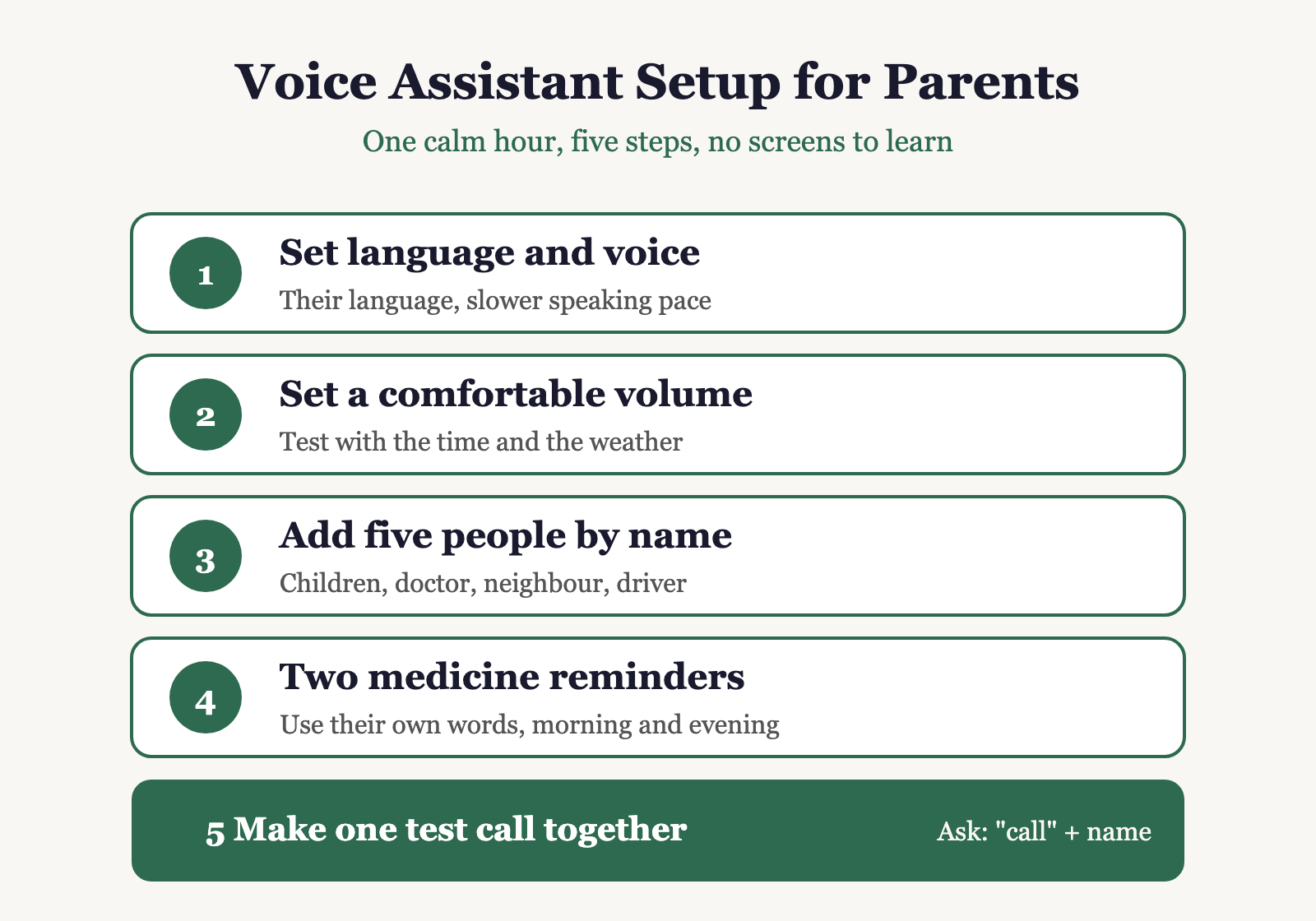
Plan one calm hour on a weekend, with you sitting beside them. Do not try to do it over a phone call. Five steps cover most of it:
- Set the language and voice first. Choose the language they think in, and a slower speaking speed if the option exists.
- Set the volume to comfortable, not loud. Test it by asking for the time and the weather.
- Add five people by name. Children, a doctor, a neighbour, the driver. Save the numbers before you leave.
- Set two medicine reminders in their words. For example: “remind me to take my BP tablet at 8 am.”
- Make one test call together. Ask them to say “call” and the name. Let them hear the phone ring at the other end. The first successful call builds more confidence than any explanation.
Five Things It Can Do for Them Every Day
- Call family with a spoken name, no dialling.
- Remind them about medicines, bill due dates, and prayer or yoga time.
- Play music, the radio, or a favourite bhajan on request.
- Read out the weather and the date before they step out.
- Answer everyday questions, like how many spoons are in a tablespoon or what a word means in a letter.
For health questions, treat the answer as a starting point, not a diagnosis. The rule I would give anyone: AI can explain a symptom, but a doctor has to examine it.
What Never to Set Up
This is where the real risk sits. A voice assistant is convenient, and convenience is exactly what scammers count on.
- No banking, no UPI, and no payments through the voice assistant.
- No OTP read aloud or repeated, to anyone, including the assistant.
- No passwords spoken within earshot of the speaker.
AI can now copy a familiar voice from a few seconds of audio. If a “grandchild” calls in distress and asks for money, the family code word comes first, every time. I have set out the four habits that defeat almost every version of this in AI scams: how to protect your family.
Expect Two Weeks of Confusion
Your parents will say things like “it does not listen to me” or “it answered the wrong thing.” That is normal. Most early friction comes from speaking too fast, or from a phrase the assistant has never heard before.
Spend ten minutes a day for two weeks asking them to try the same three commands. Repetition does most of the teaching. Patience matters more than the device. This is the same lesson I have written about in family connection across generations: technology brings people closer only when someone takes the time to sit with them.
Your Weekend Checklist
- Choose one device and one assistant.
- Set the language, the volume, and five contacts.
- Set two medicine reminders in their own words.
- Make one test call together.
- Agree on the scam rules before you leave the house.
Your parents do not need to become technology experts. They need one device that answers when they speak, and a family member who shows them how, once, gently. If you have done this for an older parent or relative, I would like to hear what worked and what made them give up. Tell me in the comments below.
Frequently Asked Questions
What is the easiest AI for seniors to start with?
A voice assistant on a small speaker or on the phone they already own. Their voice is the controller, so there are no menus or tiny icons to learn. Google Assistant and Alexa both work well for everyday tasks like calls, reminders and music, and you only need to set up one of them.
Can a 70-year-old really learn to use a voice assistant?
Yes, and most of the early friction is in the setup, not the person. Sit with them for one calm hour, set the language and volume, add five contacts by name, and make one test call together. Ten minutes of practice a day for two weeks is usually enough to make it feel normal.
What should I never set up on a parent’s voice assistant?
Never link banking, UPI or payments, and never read out or repeat an OTP through it. Scammers can now clone a family member’s voice from a few seconds of audio, so keep a family code word for any call that asks for money, and call back on a number you already have saved.
Are voice assistants good for medicine reminders?
They are useful for reminders, such as a morning and evening tablet alarm in the words your parent already uses. They cannot check whether a dose was taken or replace a doctor’s advice. For any health question, treat the assistant’s answer as a starting point and confirm with a doctor.